 Michail Ouroumis
How I Built FreeAcademy's Interactive Code Playgrounds
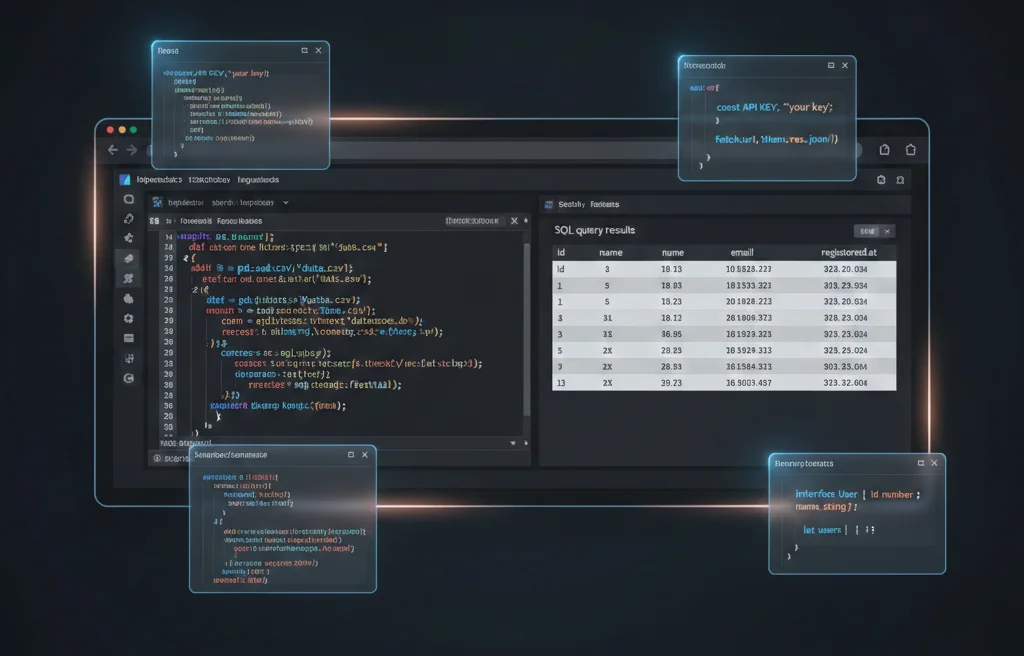
TL;DR: FreeAcademy's interactive courses let students write and run real code directly in the browser—no installation required. I built playgrounds for SQL, Python, JavaScript, TypeScript, CSS, Git, Regex, and more. Here's the architecture, the libraries that made it possible, and the lessons learned from shipping this to thousands of users.
The Problem: Learning to Code Without Installing Anything
When I started building FreeAcademy, I wanted to solve a friction problem. Most coding tutorials tell you to "open your terminal" or "install Python"—and that's where many beginners give up. Environment setup is a motivation killer.
I wanted something different: click a link, start coding. No downloads, no configuration, no "works on my machine" problems.
But running arbitrary code in a browser is... complicated. You need:
- Execution engines for multiple languages
- Sandboxing to prevent malicious code from breaking things
- State management to track variables, databases, and file systems
- Good UX with syntax highlighting, error messages, and instant feedback
Here's how I solved each of these.
Architecture Overview
Every playground follows the same pattern:
┌─────────────────────────────────────────────────────────┐
│                    React Component                       │
│  ┌─────────────────┐    ┌─────────────────────────────┐ │
│  │   CodeMirror    │    │      Results Panel          │ │
│  │   Editor        │───▶│   (table, console, preview) │ │
│  └─────────────────┘    └─────────────────────────────┘ │
│           │                          ▲                   │
│           ▼                          │                   │
│  ┌─────────────────────────────────────────────────────┐│
│  │              Context Provider                        ││
│  │  (manages engine lifecycle, state, execution)        ││
│  └─────────────────────────────────────────────────────┘│
│           │                          ▲                   │
│           ▼                          │                   │
│  ┌─────────────────────────────────────────────────────┐│
│  │         Execution Engine (WebAssembly/JS)           ││
│  │    sql.js │ Pyodide │ native JS │ esbuild-wasm     ││
│  └─────────────────────────────────────────────────────┘│
└─────────────────────────────────────────────────────────┘
Each language has:
- A Playground component (UI, editor, results display)
- A Context provider (engine initialization, state management)
- An execution engine (runs the actual code)
Let's look at the most interesting ones.
SQL Playground: Full SQLite in the Browser
The SQL playground runs a complete SQLite database in your browser using sql.js—SQLite compiled to WebAssembly.
How it Works
// SQLContext.tsx - simplified
import initSqlJs, { Database } from 'sql.js'

const SQLContext = createContext<SQLContextType | null>(null)

export function SQLProvider({ children, schemaLevel }) {
  const [db, setDb] = useState<Database | null>(null)
  const [isReady, setIsReady] = useState(false)

  useEffect(() => {
    async function initDB() {
      // Load the WASM binary
      const SQL = await initSqlJs({
        locateFile: (file) => `/sql-wasm/${file}`,
      })

      // Create an in-memory database
      const database = new SQL.Database()

      // Initialize with schema and seed data
      database.run(getSchema(schemaLevel))
      database.run(getSeedData(schemaLevel))

      setDb(database)
      setIsReady(true)
    }
    initDB()
  }, [schemaLevel])

  const executeQuery = useCallback((sql: string) => {
    const start = performance.now()
    try {
      const results = db.exec(sql)
      return {
        columns: results[0]?.columns || [],
        values: results[0]?.values || [],
        executionTime: performance.now() - start,
      }
    } catch (error) {
      return { error: error.message }
    }
  }, [db])

  return (
    <SQLContext.Provider value={{ isReady, executeQuery, resetDatabase }}>
      {children}
    </SQLContext.Provider>
  )
}
The Clever Parts
Schema levels: Different lessons need different database schemas. I built a system where each exercise specifies a "schema level" that pre-populates the database with relevant tables:
const schemas = {
  basic: `
    CREATE TABLE users (id INTEGER PRIMARY KEY, name TEXT, email TEXT);
    CREATE TABLE orders (id INTEGER PRIMARY KEY, user_id INTEGER, total DECIMAL);
  `,
  ecommerce: `
    CREATE TABLE products (id INTEGER PRIMARY KEY, name TEXT, price DECIMAL);
    CREATE TABLE categories (id INTEGER PRIMARY KEY, name TEXT);
    -- ... more tables
  `,
  // etc.
}
Reset functionality: Students can reset the database to its original state if they mess up with DELETE or DROP statements. The database reinitializes from scratch.
Query results as tables: The results panel renders actual HTML tables with proper column headers, making it feel like a real database client.
Python Playground: CPython in WebAssembly
Running Python in the browser seemed impossible until Pyodide came along. It's the entire CPython interpreter compiled to WebAssembly, including NumPy, Pandas, and other scientific libraries.
The Challenge
Pyodide is big—the initial download is ~10MB. You can't load that on every page. I solved this with:
- Lazy loading: Only load Pyodide when a Python playground is visible
- Web Workers: Run Python in a separate thread to avoid blocking the UI
- Package caching: Pre-load common packages during initialization
// PythonContext.tsx - simplified
import { loadPyodide, PyodideInterface } from 'pyodide'

export function PythonProvider({ children }) {
  const [pyodide, setPyodide] = useState<PyodideInterface | null>(null)
  const [isLoading, setIsLoading] = useState(true)

  useEffect(() => {
    async function init() {
      const py = await loadPyodide({
        indexURL: 'https://cdn.jsdelivr.net/pyodide/v0.24.1/full/',
      })

      // Pre-load common packages
      await py.loadPackage(['numpy', 'pandas'])

      // Redirect stdout/stderr to capture print() output
      py.runPython(`
        import sys
        from io import StringIO
        sys.stdout = StringIO()
        sys.stderr = StringIO()
      `)

      setPyodide(py)
      setIsLoading(false)
    }
    init()
  }, [])

  const executePython = useCallback(async (code: string) => {
    // Clear previous output
    pyodide.runPython(`
      sys.stdout = StringIO()
      sys.stderr = StringIO()
    `)

    const start = performance.now()
    try {
      await pyodide.runPythonAsync(code)
      const stdout = pyodide.runPython('sys.stdout.getvalue()')
      return {
        output: stdout,
        executionTime: performance.now() - start,
      }
    } catch (error) {
      return { error: error.message }
    }
  }, [pyodide])

  return (
    <PythonContext.Provider value={{ isLoading, executePython }}>
      {children}
    </PythonContext.Provider>
  )
}
Capturing Output
The trickiest part was capturing print() output. Python's print() writes to sys.stdout, which in Pyodide goes... nowhere. I redirect it to a StringIO buffer before each execution, then read the buffer afterward.
JavaScript/TypeScript Playground: Native but Sandboxed
JavaScript is the easy case—browsers already run it. But I needed:
- Sandboxing: Prevent
window.location = 'evil.com'or infinite loops - TypeScript support: Compile TS to JS in the browser
- Console capture: Intercept
console.log()calls
Sandboxed Execution
I run user code in a sandboxed iframe with restricted permissions:
// Create a sandboxed iframe
const iframe = document.createElement('iframe')
iframe.sandbox = 'allow-scripts' // No access to parent window
iframe.style.display = 'none'
document.body.appendChild(iframe)

// Execute code in the iframe's context
const result = iframe.contentWindow.eval(userCode)
For infinite loop protection, I wrap code execution in a timeout:
const executeWithTimeout = (code: string, timeout = 5000) => {
  return new Promise((resolve, reject) => {
    const timer = setTimeout(() => {
      reject(new Error('Execution timed out (possible infinite loop)'))
    }, timeout)

    try {
      const result = eval(code)
      clearTimeout(timer)
      resolve(result)
    } catch (error) {
      clearTimeout(timer)
      reject(error)
    }
  })
}
TypeScript Compilation
For TypeScript, I use esbuild-wasm to compile TS to JS in the browser:
import * as esbuild from 'esbuild-wasm'

await esbuild.initialize({
  wasmURL: '/esbuild.wasm',
})

const result = await esbuild.transform(tsCode, {
  loader: 'ts',
  target: 'es2020',
})

const jsCode = result.code
This gives students real-time TypeScript error checking without a build server.
Other Playgrounds
CSS Playground: Uses a live <iframe> that updates as students type. No compilation needed—just inject the CSS into the iframe's <style> tag.
Git Playground: Simulates a Git repository using an in-memory file system. Commands like git add, git commit, and git log update a JavaScript object that represents the repo state.
Regex Playground: Uses JavaScript's native RegExp with visual match highlighting. Matches are shown inline in the test string using <mark> tags.
JSON Playground: Native JSON.parse() and JSON.stringify() with pretty-printing and JSONPath queries.
Lessons Learned
1. WebAssembly is production-ready
I was skeptical about running SQL and Python in the browser. But sql.js and Pyodide are remarkably stable. Thousands of students have run millions of queries without issues.
2. Loading states matter
Large WASM bundles mean noticeable loading times. I invested heavily in skeleton screens, progressive loading, and preloading engines on course pages before students click "Start Exercise."
3. Error messages need translation
Raw errors from SQLite or Python are confusing to beginners. I built an error translation layer that converts cryptic messages like SQLITE_CONSTRAINT: UNIQUE constraint failed: users.email into helpful guidance.
4. Context providers are the right abstraction
Every playground shares the same pattern: a context provider manages the engine lifecycle, and components consume the context. This made it easy to add new playgrounds—each one is just a new context + component pair.
5. Keyboard shortcuts are essential
Cmd+Enter to run code is expected. Cmd+/ to toggle comments. These small details make the difference between a toy and a tool.
The Stack
For anyone building something similar, here's what I used:
| Component | Library |
|---|---|
| SQL | sql.js (SQLite → WASM) |
| Python | Pyodide (CPython → WASM) |
| TypeScript | esbuild-wasm |
| Code Editor | CodeMirror 6 via @uiw/react-codemirror |
| React Sandbox | Sandpack by CodeSandbox |
| State Management | React Context + hooks |
| Framework | Next.js with App Router |
What's Next
I'm exploring:
- Collaborative editing (multiple students working together)
- AI-assisted hints (detect when students are stuck, offer guidance)
- More languages (Rust via wasm-bindgen, Go via TinyGo)
If you're building educational tools or have questions about browser-based code execution, feel free to reach out. And if you want to try the playgrounds yourself, check out FreeAcademy's interactive courses.
Building FreeAcademy has been one of the most rewarding projects of my career. There's something magical about watching students go from "I've never written code" to solving real problems—all without leaving their browser.